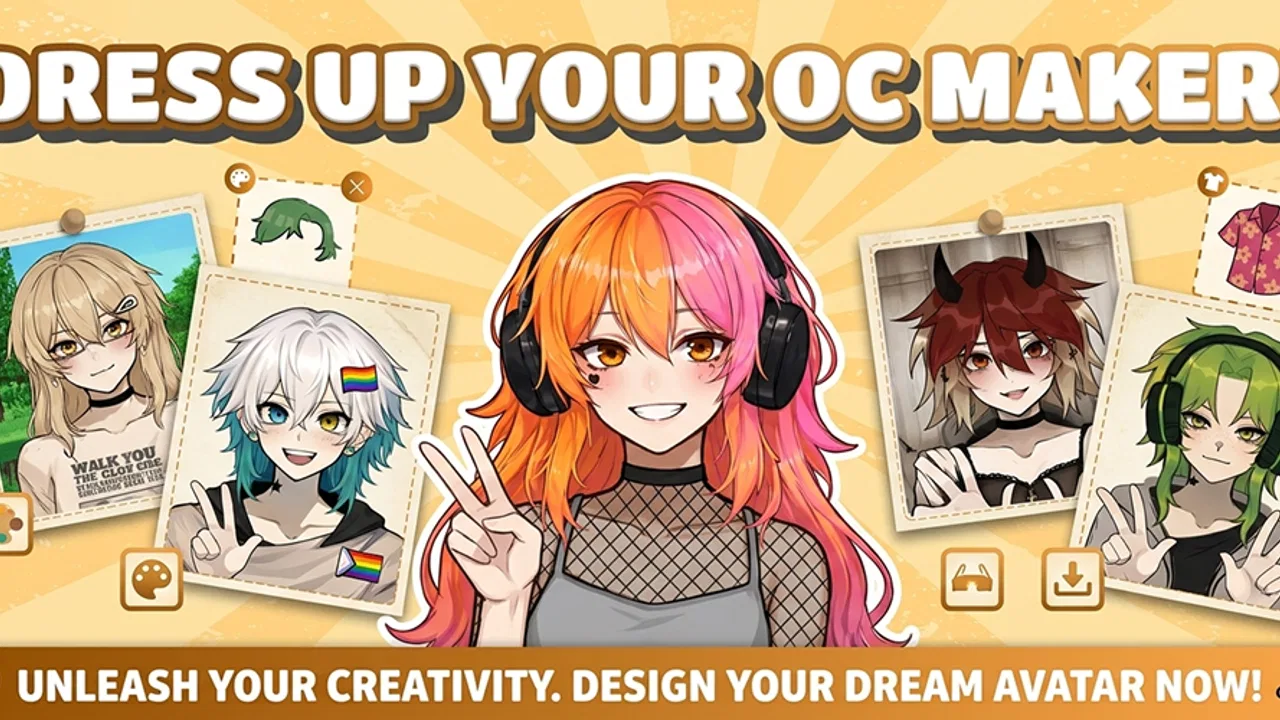
OC Maker: PFP & Avatar
- 3.2
- Rating
- 1.00M
- Installs
- Free
- Price

 Analysis by App-foxy
I spent time with OC Maker: PFP & Avatar as a personalization app, and my first impression was that it is aimed at people who want to build a recognizable online character without learning a full illustration program. The idea is simple: create an original character, adjust the look, and use the result as a profile image or a visual identity for social platforms. That makes it more focused than a general photo editor, but also less flexible than a drawing app.
The app is free, rated for Everyone, and developed by Vietgaweopl. It has already passed the one-million-install mark, which suggests that the concept is easy for a broad audience to understand. Its average rating sits at 3.2 from around 1.7 thousand ratings, so I approached it with realistic expectations rather than assuming every part would feel polished. In my experience, that is the right attitude here: the creative idea is accessible, while the practical experience depends heavily on how patiently you handle the setup and editing process.
What using OC Maker feels like in practice
The strongest part of the app is the low barrier to making something personal. I did not need to begin with a blank canvas or think about anatomy, lighting, or advanced drawing tools. Instead, the appeal comes from assembling an avatar-like character and making small visual choices until the result feels like “me,” a fictional persona, or an original character for a social account.
You May Also Like

 Blood Strike: 2.5 Anniversary
Blood Strike’s Loadouts Turn Every Drop Into a Tactical Gamble
A close look at Blood Strike’s custom loadouts: how fast access to signature weapons reshapes its battle royale rhythm, rewards preparation, and narrows the gap between fights.

 Pandora - Music & Podcasts
Pandora’s Music Is Easy to Start, but Harder to Recover
Pandora’s strength is its low-effort path from a seed to a station. Its weak spot is how much confidence it asks you to place in connection, setup, and quiet recovery.

 8 Ball Pool
 Is Built on Rivalries, Rematches, and Routine
A close look at the rivalries, rematches, shared routines, and unanswered safety questions that turn a quick pool match into a persistent mobile community.

 Samsung Music
’s Quiet Strength Is Playing What You Already Own
Its reach comes less from spectacle than from dependable access to a personal library. That simplicity is both the app’s strongest retention engine and its ceiling.

 AccuWeather: Weather Radar
AccuWeather Review: A Quick, Clear Forecast for Everyday Decisions
For everyday plans, the best forecast is the one you can understand quickly. AccuWeather makes rain timing, radar, and local conditions easy to act on, with a few trade-offs.

 Hill Climb Racing
Why Hill Climb Racing Still Turns Crashes Into One More Run
A tiny car, a bumpy hill and one more upgrade: Hill Climb Racing keeps resurfacing because its simple chaos makes every near-miss feel personal.
More From Our News Desk



That distinction matters. This is not the right tool if your goal is to paint a detailed character from scratch. It is better suited to quick identity building: a profile picture for a new account, a visual reference for a character idea, or a playful avatar to share with friends. The dress-up angle also makes it more approachable than many design tools, particularly for users who would rather compare visual options than manually draw every detail.
I found that the most useful way to approach it was to decide on the character’s purpose before editing. A profile image needs a clear face and strong contrast at a small size. A character concept can tolerate more unusual clothing and decorative choices. If I treated every option as equally important, the process became slower and the final look less coherent. Choosing a mood first—friendly, dramatic, casual, mysterious, or colorful—made the later decisions much easier.
Where people are likely to get stuck
The first point of friction is usually not creativity but orientation. A dress-up editor can present many visual choices, and it is easy to tap through them without remembering what changed. When that happens, the character starts to look like a collection of unrelated selections rather than a deliberate design. I recommend making one category of change at a time and pausing after each major decision.
Another common problem is expecting the first version to be the finished version. Avatar makers are quick to open, but a convincing character often comes from removing choices rather than adding more. A busy hairstyle, expressive clothing, strong colors, and extra visual details can compete with one another. For a profile picture, I usually get a better result by keeping the face readable and allowing one feature—hair, outfit, or color—to carry the personality.
There is also a practical difference between making an avatar for yourself and making an OC for other people to recognize. A self-avatar can rely on familiar traits. An original character needs a repeatable visual formula. I found it helpful to note two or three defining elements before finalizing: perhaps a particular hair shape, a consistent color pairing, and one clothing detail. That small rule makes later recreations or variations more consistent.
The most useful mindset is to treat the editor as a character-planning tool, not a complete art studio. That prevents disappointment and helps you judge the result by the app’s actual purpose: fast, approachable personalization.
Setup checks that prevent avoidable frustration
The app supports devices running Android 7.0 or later, so the first check is compatibility. If installation fails, closes immediately, or behaves strangely before you can edit, I would check the operating system and available storage before blaming the editor itself. A compatible device can still struggle when storage is nearly full, especially when saving or switching between apps.
I also recommend opening the app with a stable connection during the initial setup and keeping other demanding apps closed. I cannot treat that as a guaranteed fix for every problem, but it is a sensible way to remove common background causes. If the editor loads but images do not appear correctly, restarting the app is a better first step than repeatedly tapping the same control.
Before spending time on a detailed character, I would make a quick test version. Choose a few visible options, move through the editor, and check whether the result can be saved or used in the way you expect. This simple test answers an important question early: whether the app fits your intended workflow on your particular phone.
For social media use, I would also check the final image at a small size before sharing it. A design that looks attractive while filling the phone screen may lose its identity when cropped into a circular profile picture. Keep the face or main identifying feature near the center, and avoid placing the only important detail at the outer edge.
The current version is 1.1.0, and the app was released on August 2, 2025. Those details are worth keeping in mind when troubleshooting because early versions can feel less predictable than mature creative tools. If a problem appears after an update, closing and reopening the app, checking for another available update, and restarting the device are reasonable general checks before rebuilding the character from the beginning.
Recovering a workflow when something goes wrong
My biggest practical recommendation is to save progress in stages whenever the app allows it. Do not wait until the character is perfect before checking whether the result can be retained. A basic version, a preferred outfit, and a final version create useful checkpoints. If the app resets or a choice disappears, you will not have to reconstruct every decision from memory.
When an avatar suddenly looks different, I would retrace the last category changed rather than restarting everything. Many editing mistakes are not failures at all; they are unnoticed changes to a visual element. Returning to the previous category and comparing the character carefully is faster than assuming the whole design has been lost.
If the final image does not look right after sharing, I would first separate an editing issue from a platform issue. Social networks may crop, resize, or display profile images differently from the original. Keep an unedited copy of the finished avatar on the phone, then compare it with the posted version. If the local copy is correct, adjust the framing for the destination rather than redesigning the character.
A useful workflow for an everyday situation is creating a new profile picture for a community account. I would begin with a simple character, choose a face that remains readable when reduced, select one memorable clothing or color element, and test the image in the account’s preview screen. Only after that would I make a more decorative version for posts or messages. This avoids spending time on details that disappear in the final crop.
For an OC project, I would take a different route. I would create the core appearance first, record the choices in a note, and then experiment with alternate outfits or moods. The note is important because an avatar editor is excellent for visual exploration but not necessarily a replacement for a character reference sheet. Keeping the basic design written down makes it easier to maintain continuity across future versions.
When the app is not the cause
Not every failed save, missing image, or awkward display comes from the app. A nearly full device, aggressive battery management, an interrupted connection, or a social platform’s image processing can produce similar symptoms. That is why I prefer a short process of elimination: test a simple character, restart the app, check device space, and compare the local result with the shared result.
If the editor works normally with a basic design but becomes unreliable only after repeated switching or extended use, reducing the number of open apps may help. If the problem happens only on one social network, I would investigate that platform’s cropping or upload behavior instead of assuming the avatar was created incorrectly.
There is also a creative cause that can feel technical. A character may appear “wrong” because its visual elements lack hierarchy. When everything is bright, detailed, or expressive, the eye has nowhere to settle. In that case, changing the phone, reinstalling the app, or trying the same options repeatedly will not solve the real issue. Simplifying the design is the better fix.
Privacy and comfort should guide how you use the finished image as well. Since the app is designed for avatars and social sharing, I would avoid including personal information in the character itself, such as a real name, school detail, or location reference. A fictional identity can be expressive without revealing anything you would not want attached to a public profile.
How it compares with the usual alternatives
Compared with a general photo editor, this app is more direct for character creation. A photo editor gives you broader control over existing images, but it usually expects you to supply the visual material first. OC Maker is more convenient when the goal is to assemble a fresh avatar rather than retouch a photograph.
Compared with a full drawing app, it is less demanding but also less open-ended. Drawing software is the better choice for artists who need custom anatomy, exact poses, detailed backgrounds, or complete control over every line. This app makes more sense for someone who wants a finished-looking identity image without spending hours learning brushes and layers.
It also differs from a conventional game. The dress-up presentation can feel playful, but I would not choose it primarily for competitive play, missions, or a deep progression system. Its value is in the creation session itself and in what you do with the resulting character afterward. That makes it a good fit for casual experimentation and a weaker fit for anyone expecting a long-form game.
The free price is a clear advantage for trying the concept without committing money. At the same time, free creative apps often require patience with their limits, and the 3.2 average rating signals that the experience will not satisfy everyone equally. I would recommend testing the basic workflow before investing a lot of effort in a highly detailed OC.
Who will enjoy it, and who should skip it
I think it is a good match for social media users who want a non-photographic profile image, beginners who enjoy dress-up customization, and writers or role-players who need a quick visual starting point for an original character. It can also be useful for brainstorming: seeing a rough combination of hair, clothing, and color can reveal a character direction that was difficult to imagine in words.
It is less suitable for professional branding, detailed illustration, or anyone who needs precise export control and a fully custom drawing workflow. I would also skip it if you dislike iterative editing. The app rewards trying combinations and simplifying them, not choosing one perfect result immediately.
Parents may appreciate the Everyone content rating, but I would still judge the app by the child’s intended use and by where the finished avatar will be shared. A general age rating does not replace sensible supervision around public social accounts.
My practical verdict
After using it, I see OC Maker: PFP & Avatar as a friendly entry point into character-based personalization rather than a complete creative suite. Its best use is quick avatar design with enough room for personal style, especially when you want something more distinctive than a standard photo but do not want to draw from scratch.
The main lesson is to work in checkpoints, test the saving and sharing path early, and design for the final display size. Those habits address most of the frustration I would expect from this kind of app. They also help reveal whether a problem is caused by the editor, the phone, or the social platform receiving the image.
With its free access, Everyone rating, and broad install base, it is easy to try. The current 1.1.0 version and modest average rating encourage a measured recommendation rather than unconditional praise. I would suggest it to casual creators, profile-picture hunters, and OC beginners who value speed and experimentation. I would point serious artists toward a drawing app instead, but for a quick, personal character-making session, OC Maker: PFP & Avatar is worth exploring as long as you keep its focused role in mind.
FAQs for OC Maker: PFP & Avatar
01What is OC Maker: PFP & Avatar used for?
OC Maker: PFP & Avatar is a character-creation app designed for making original characters, profile pictures, and personalized avatars. After exploring its tools, the main appeal is the ability to combine different visual elements, such as hairstyles, facial features, clothing, colors, and accessories. It is useful for social media profiles, messaging apps, storytelling, role-playing communities, and simply designing characters for fun.
02Is OC Maker: PFP & Avatar easy to use for beginners?
Yes, the app is generally approachable for beginners because character creation is based on selecting and adjusting visual parts rather than drawing everything manually. The interface lets you experiment with different combinations and preview the result as you build. New users may need a little time to understand where certain customization options are located, but no advanced artistic experience is required to create a good-looking avatar.
03Can I customize characters in detail?
The app offers a broad selection of customization options for creating a distinctive character, including appearance, hairstyle, outfits, colors, and decorative elements. The exact level of variety can depend on the available content and whether some items require unlocking. It is best suited to users who enjoy stylized avatar makers and character builders, although it may not provide the same precision as professional illustration or 3D modeling software.
04Can creations from OC Maker: PFP & Avatar be saved and shared?
Once a character or profile picture is finished, users can normally save the result to their device or share it through supported apps, depending on the permissions and export options available on their Android or iOS version. Before downloading, check whether the app adds a watermark, limits image resolution, or requires access to photos and storage. These details can affect how conveniently you use the finished avatar elsewhere.
05Is OC Maker: PFP & Avatar free to download and use?
OC Maker: PFP & Avatar may be available as a free download, but users should review the store listing carefully because free apps can include advertisements, optional purchases, or premium customization items. Some features, outfits, or accessories may be restricted behind a payment or reward system. Also check the app’s privacy information and requested permissions before installing, especially if you plan to use it regularly or create personal profile images.
Pros
- Large library of hairstyles
- outfits
- poses
- and facial features.
- Useful for creating profile pictures
- avatars
- and social media identities.
- Simple controls make character customization easy for beginners.
- Supports creative combinations for different styles and personalities.
- Regular content updates can add fresh customization options.
Cons
- Some premium items may require payment or watching advertisements.
- The final avatar style may feel limited compared with fully illustrated portraits.
- Detailed customization can take time when creating a unique character.
- Export quality and available formats may vary by device or account type.
- Some designs may look similar because they use preset components.

OC Maker: PFP & Avatar
Gallery